Smart Patrol & Inspection
Smart Patrol & Inspection System
One phone replaces the patrol wand: QR or GPS check-in, on-site photo evidence, instant anomaly reports — and records both your management team and the client can see. Developed in-house by TonTai, with the software shaped around how the site actually works.
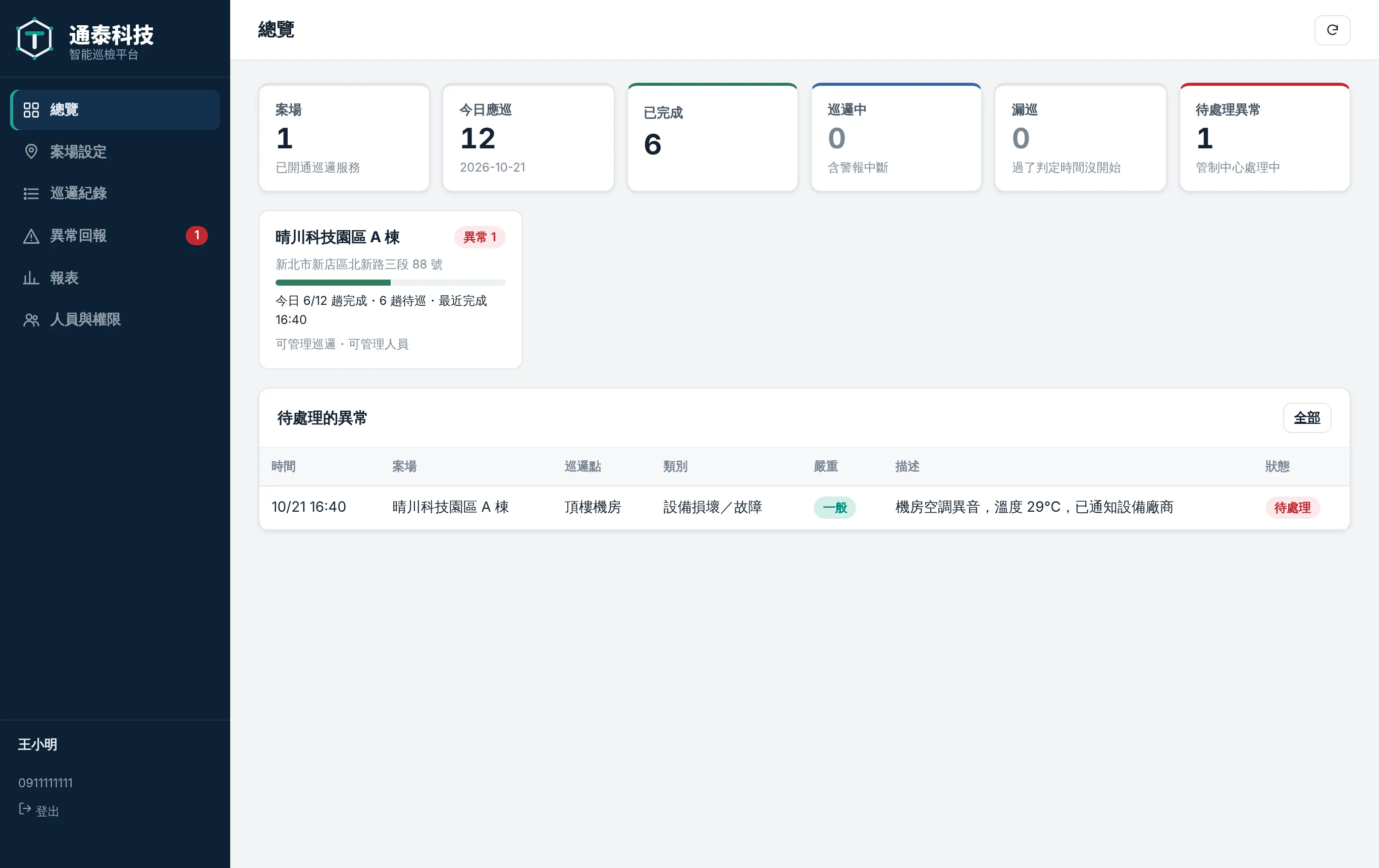
Patrol app / web console / control board
QR sticker or GPS proximity
syncs when back online
same codebase
Why
What the patrol wand leaves behind
A traditional wand proves someone passed by. It cannot prove what they checked.
Data trapped until download
Wands must be docked back at the office, so clients often see a report weeks later — and it only shows a timestamp.
One broken button, no record
A pulled tag, a flat battery, a wand left behind: the whole night goes unrecorded.
Missed rounds go unnoticed
Rostering, dispatch and whether anyone actually went — all of it rests on a supervisor watching.
No evidence from the field
An unlocked door or a failed light gets phoned in. Afterwards nobody can say who saw it, or when.
Workflow
Four steps to go live
No site hardware to replace — print the stickers and start patrolling.
-
STEP 01
Create sites and points
Add patrol points, choose the check-in method (QR or GPS), whether a photo is required, and what to check on arrival.
-
STEP 02
Print QR stickers
Generate a PDF of every sticker for the site in one click. Damaged stickers can be reissued; old codes expire immediately.
-
STEP 03
Schedule and auto-assign
Set fixed times or an interval; the system generates the rounds and assigns them to the site's staff automatically.
-
STEP 04
Patrol and sync
Staff check in, photograph and report anomalies from the phone. Records upload as they happen.
Interfaces
Three roles, three screens
One set of data, presented to each role as what they need to see and do.
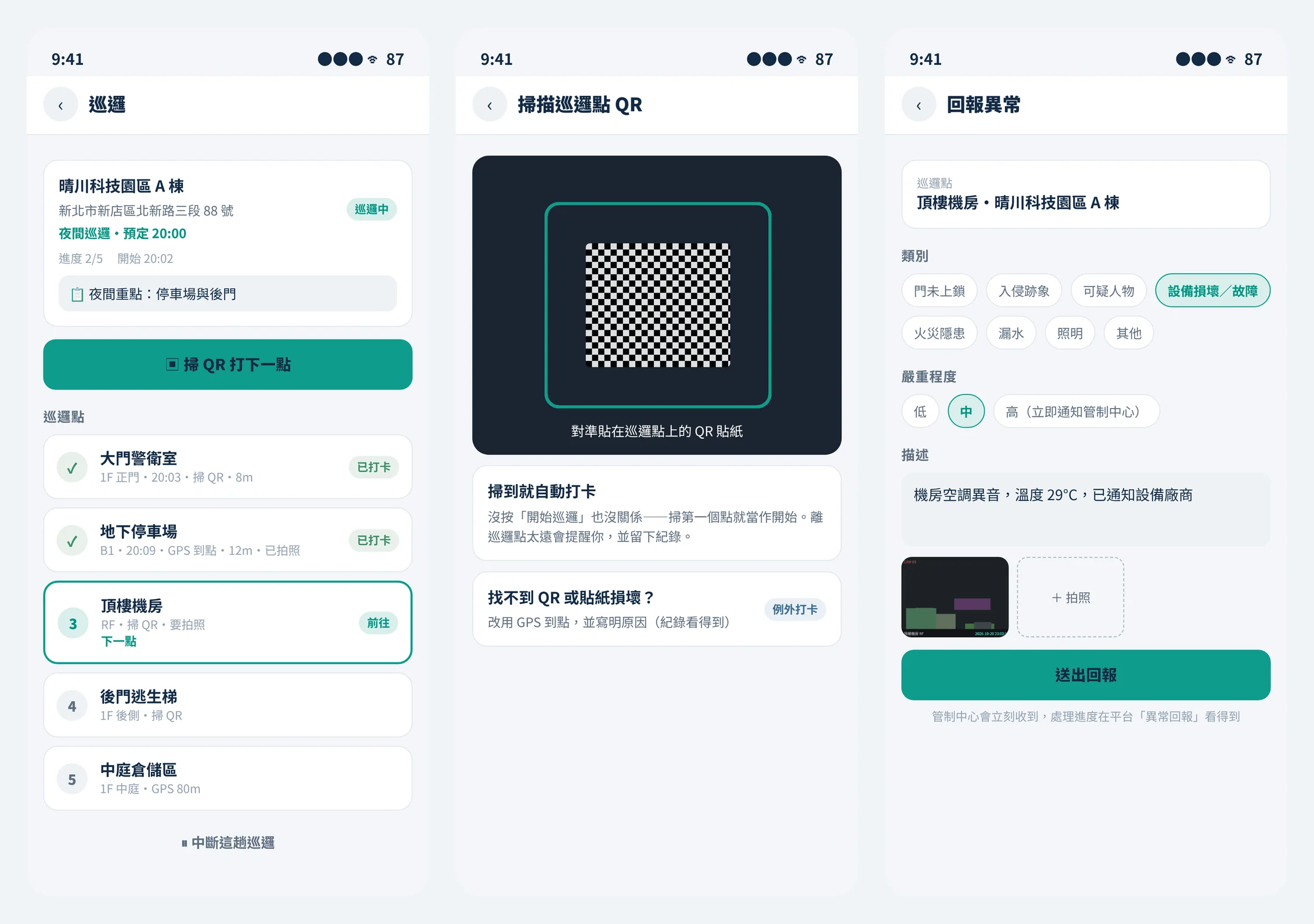
-
Patrol app
QR or GPS check-in, photo evidence, one-tap standard notes, and push reminders when a round is due or overdue. Works offline and syncs later.
-
Web console
Site setup, patrol plans, records, anomaly tracking, reports and user permissions — all in the browser.
-
Control-room board
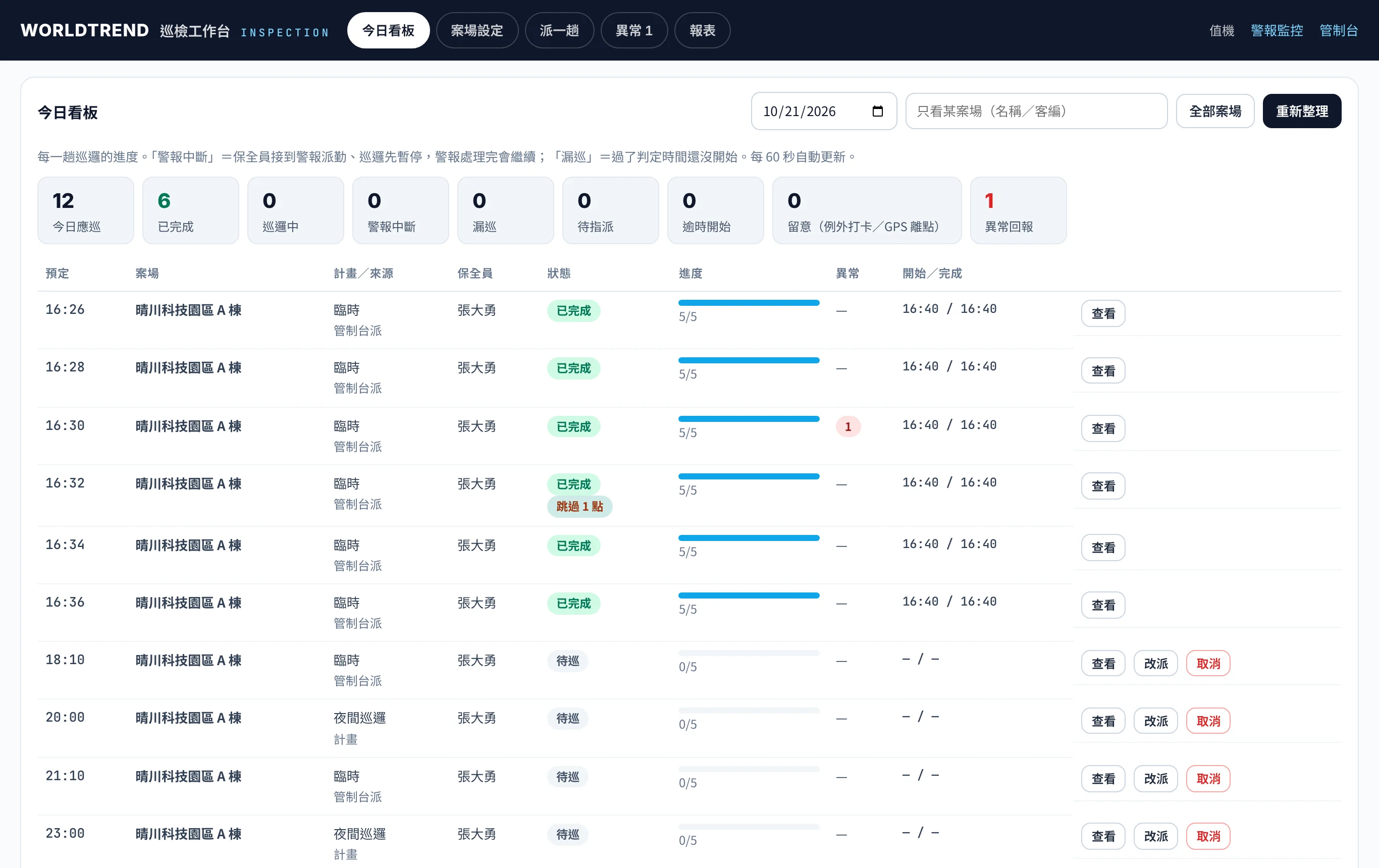
Live status and progress for every round, one-click assignment of unassigned rounds, and anomaly handling through to closure.
-
Client view
Can be opened to the property manager or owner, scoped to their own sites, with records and monthly reports they download themselves.
Status
The system decides the status of every round
No waiting for a supervisor to check. If a round does not start, the system says so.
Completed
Every point visited as planned, each with a timestamp, check-in method, distance from the point and photo.
In progress / overdue
A push reminder when a round is due but not started; live view of how far along it is.
Missed
Past the grace period with no start — logged as missed and flagged to the management side, not discovered in next month's report.
Site Setup
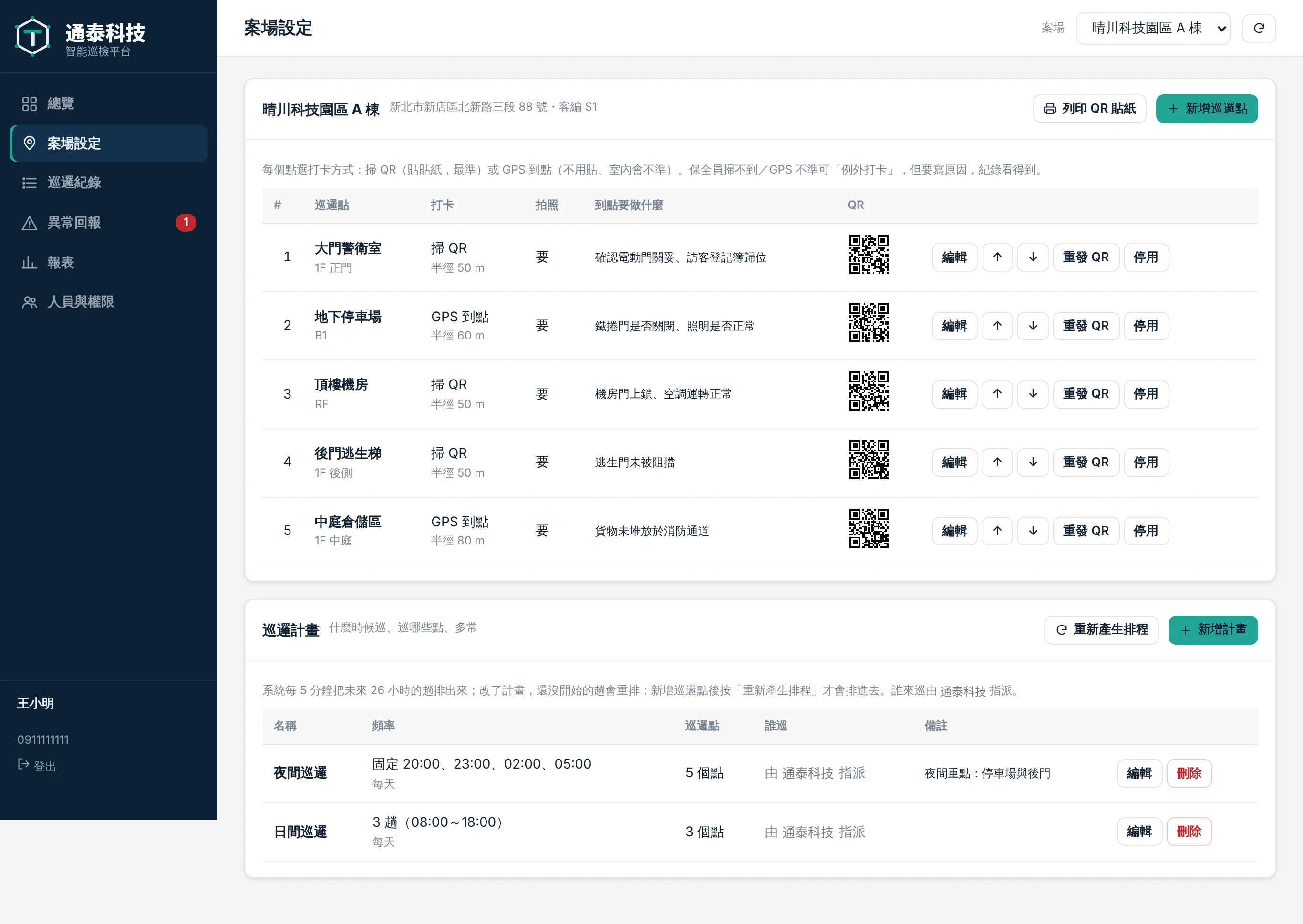
Patrol points and QR stickers
- Per point: check-in method (QR or GPS), proximity radius, and whether a photo is mandatory
- Spell out what to check at each point, so new staff do not miss anything
- Generate every sticker for a site as a single PDF — print and place them yourself
- Reissue a damaged sticker and the old code expires; exception check-in is available with a recorded reason
- Plans support fixed times, a number of rounds per window, or a fixed interval
Records
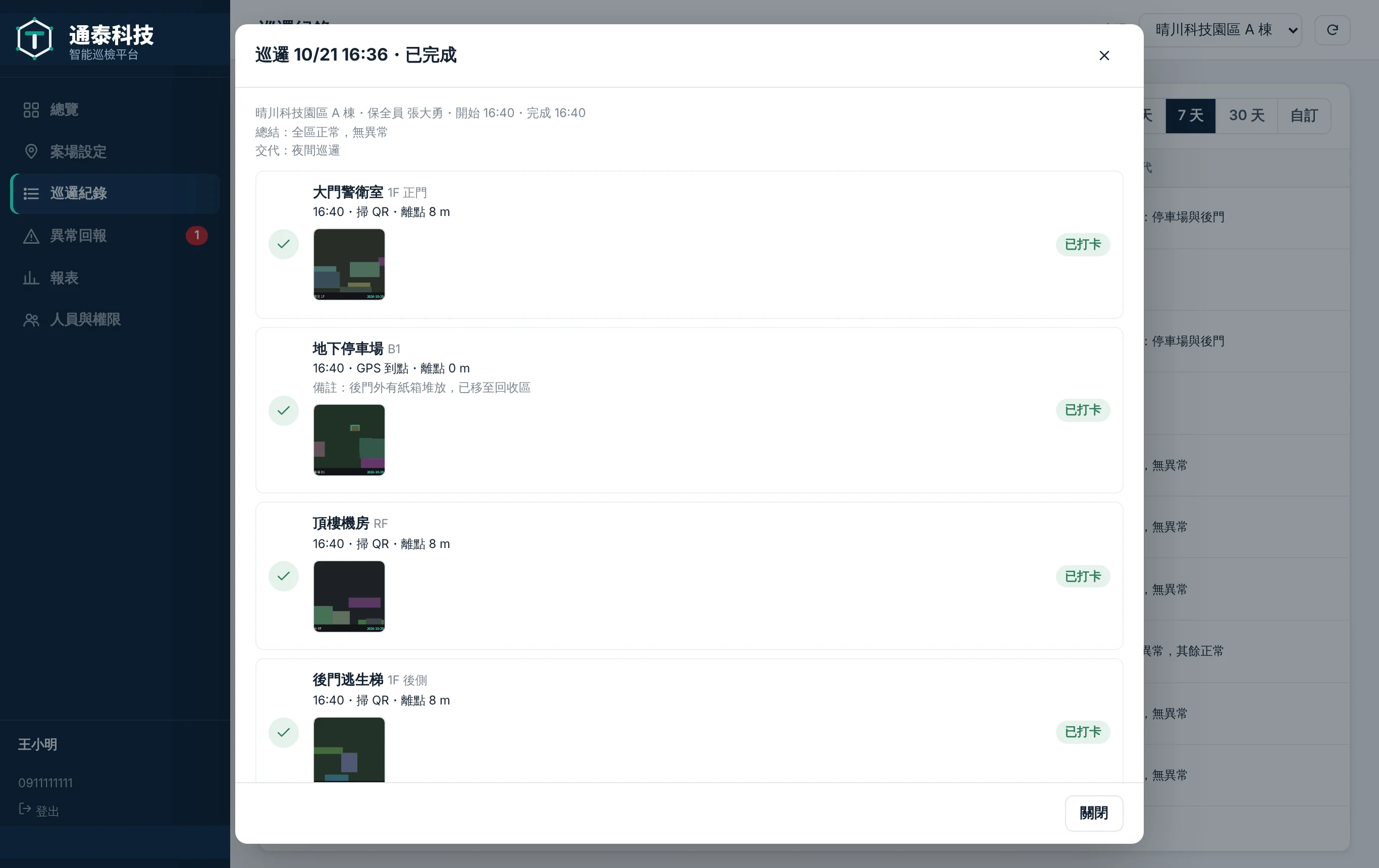
Every round is traceable
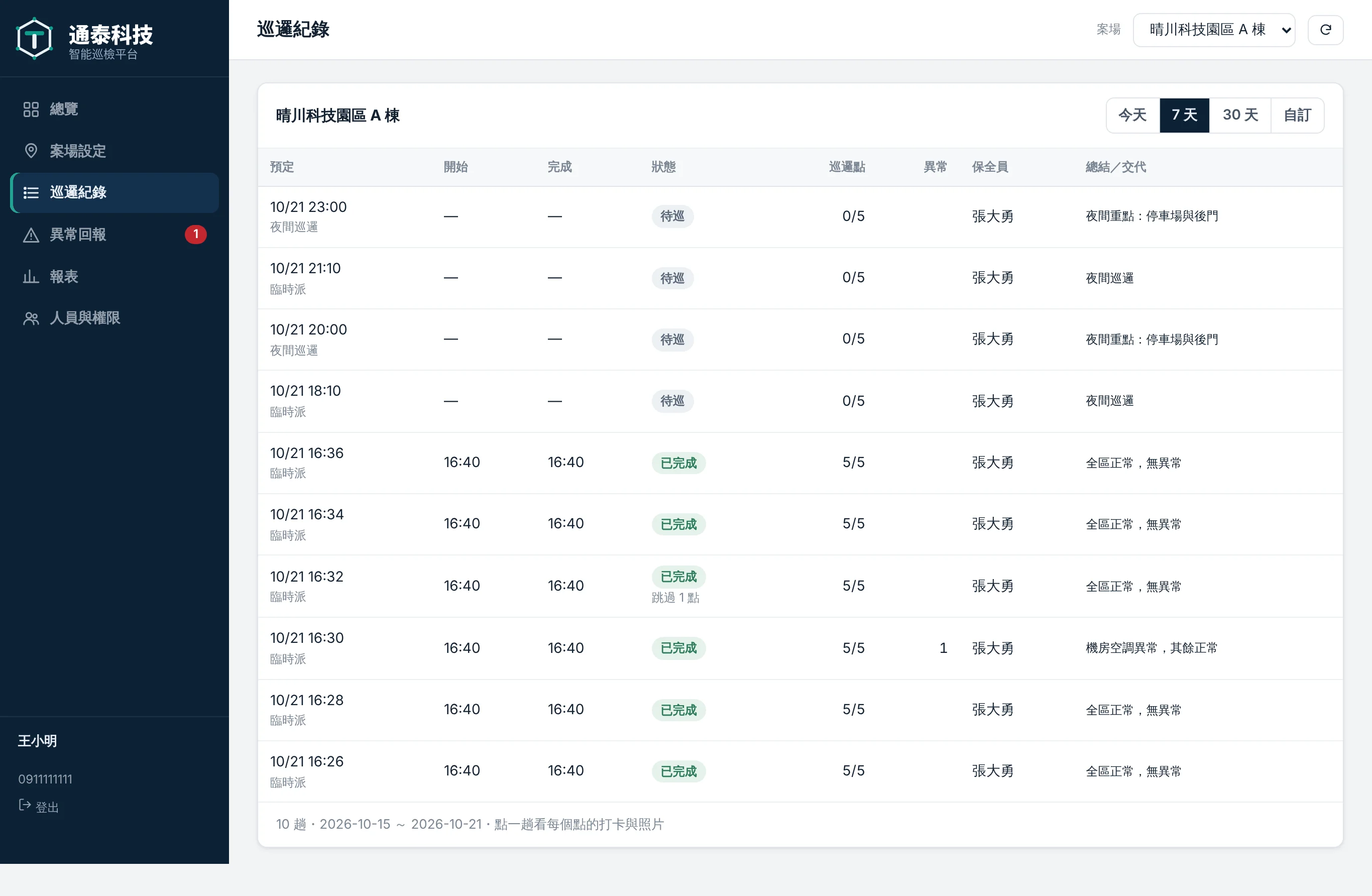
- Scheduled, started and finished times, points covered and who walked it — all in one row
- Open a round to see each point's check-in method, distance from the point, photos and notes
- A QR scan taken too far from the point is flagged; photos carry time and location
- Offline check-ins are labelled as such, never mixed in with live ones
Reporting
Anomalies and reports
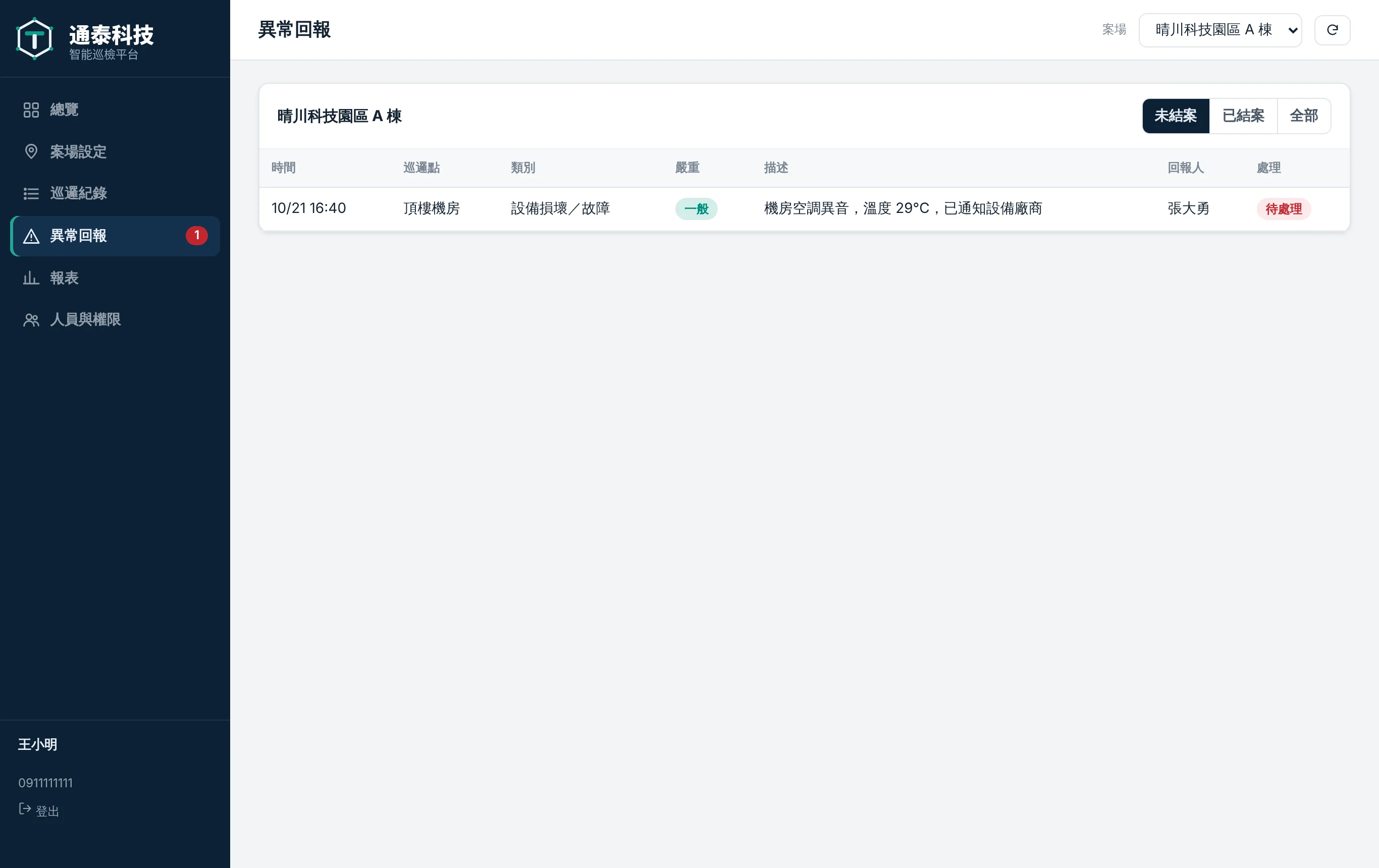
- Report an unlocked door, equipment fault, water leak or lighting issue with a category, severity and photo
- Handling status (open / in progress / closed) is visible to the client as it moves
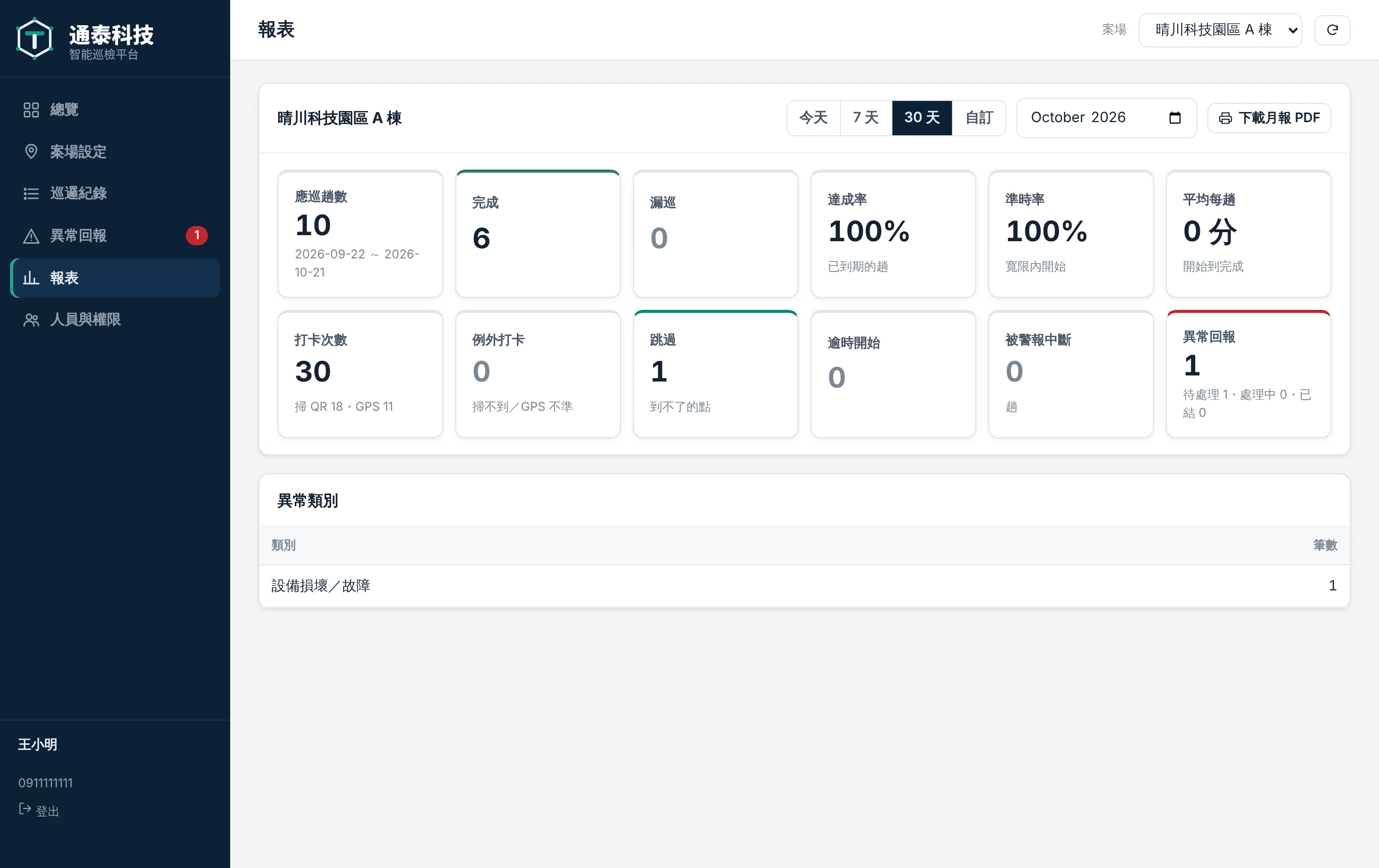
- Reports cover rounds due, completed, missed, completion and punctuality rates, average duration and anomaly categories
- Monthly reports download as PDF — no more manual compiling
Control Room
Control-room board
Integration
Works alone, or connects to what you have
A direct wand replacement
No site hardware to change — a phone and a handful of QR stickers is enough to go live.
Pairs with video systems
Can be linked to video inspection or surveillance so what the AI saw and what a person checked sit in the same record.
Fits dispatch workflows
A round interrupted by an alarm task resumes afterwards, with both segments kept intact.
Cloud or on-premises
Launch quickly on the cloud, or install in the client's own server room so data never leaves the site.
Rollout
How a rollout runs
Survey the site
Confirm where the patrol points are, what each round should cover, how many rounds a day, and the current rostering.
Pilot one site
Open a single site, place the stickers, set the plan, and adjust from what the team reports back.
Scale and integrate
Extend to the other sites and, where needed, connect to existing surveillance, dispatch or property systems.
※ Screens shown here are from a demonstration environment; site names and staff names are fictional. Actual features and layout are configured per site.
Want to see a round run?
We can arrange an online or on-site demonstration and walk through rollout and cost for your sites.