Site Vehicle Access
Construction Site Vehicle Access Management
From online requests by contractors, layered approvals and digital passes, to gate checks and on-site tracking — every vehicle entering or leaving the site leaves a clear record. Built for semiconductor fabs, large plants and construction sites.
apps, gate station, board, console
contractor, owner, guard, driver…
documents, gates, approval paths
same software
Why
The daily problems at the site gate
Lots of vehicles, contractors and rules — paper logs and radios cannot keep up.
Paper logs are hard to trace
Who requested, who approved, when it entered — finding out later means flipping through notebooks.
Queues at the gate
Paperwork only starts when the truck arrives, so peak hours back up onto the road.
Special vehicles are hard to control
Hazmat trucks, cranes and oversize loads each have their own rules that guards must remember.
Owners lack the full picture
Status across zones and gates is scattered, so management only hears about it afterwards.
Workflow
Seven steps, from request to exit
Each step follows the site's own rules and is logged automatically.
-
STEP 01
Request
Contractors choose vehicle type, time slot, gate and destination in the app, book unloading bays, cranes or hoists, and upload documents.
-
STEP 02
Layered approval
Each vehicle type follows its own approval path; owners and managers approve step by step on their phones.
-
STEP 03
Digital pass
Approved requests generate a signed QR pass sent by app, SMS or LINE; the driver view supports Traditional Chinese, English, Vietnamese and Thai.
-
STEP 04
Check-in & call
Vehicles check in at the waiting area and are called forward based on gate load, so the gate does not back up.
-
STEP 05
Gate check
Guards scan the QR or let licence-plate recognition match it; a red / yellow / green light tells them what to do.
-
STEP 06
On-site tracking
See which vehicles are inside, where, and for how long — with alerts when they overstay.
-
STEP 07
Exit check
Outbound materials are checked on exit, completing the record for the trip.
Interfaces
A screen for every role
One shared data set, shown to each role with just what they need to see and do.

-
Contractor / owner app
Submit requests, follow approvals and receive site notices — on iOS and Android.
-
Guard app
Scan QR passes, look up plates and register walk-in vehicles on a handheld device, with large controls for outdoor use.
-
Driver's phone
No install needed. Open the digital pass from SMS or LINE, in four languages.
-
Gate workstation
Plate recognition, queue calling and barrier control, with one-touch emergency lockdown.
-
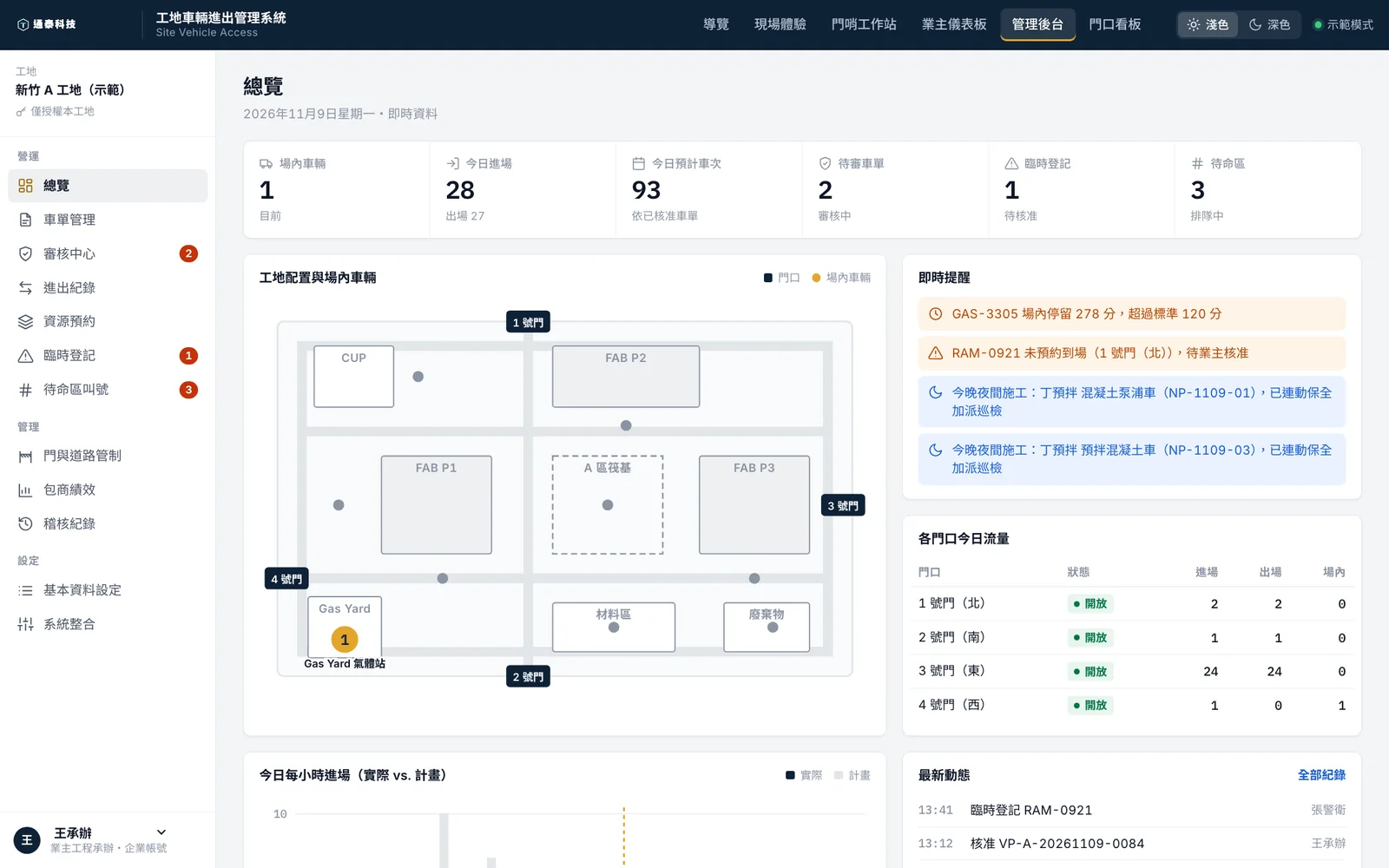
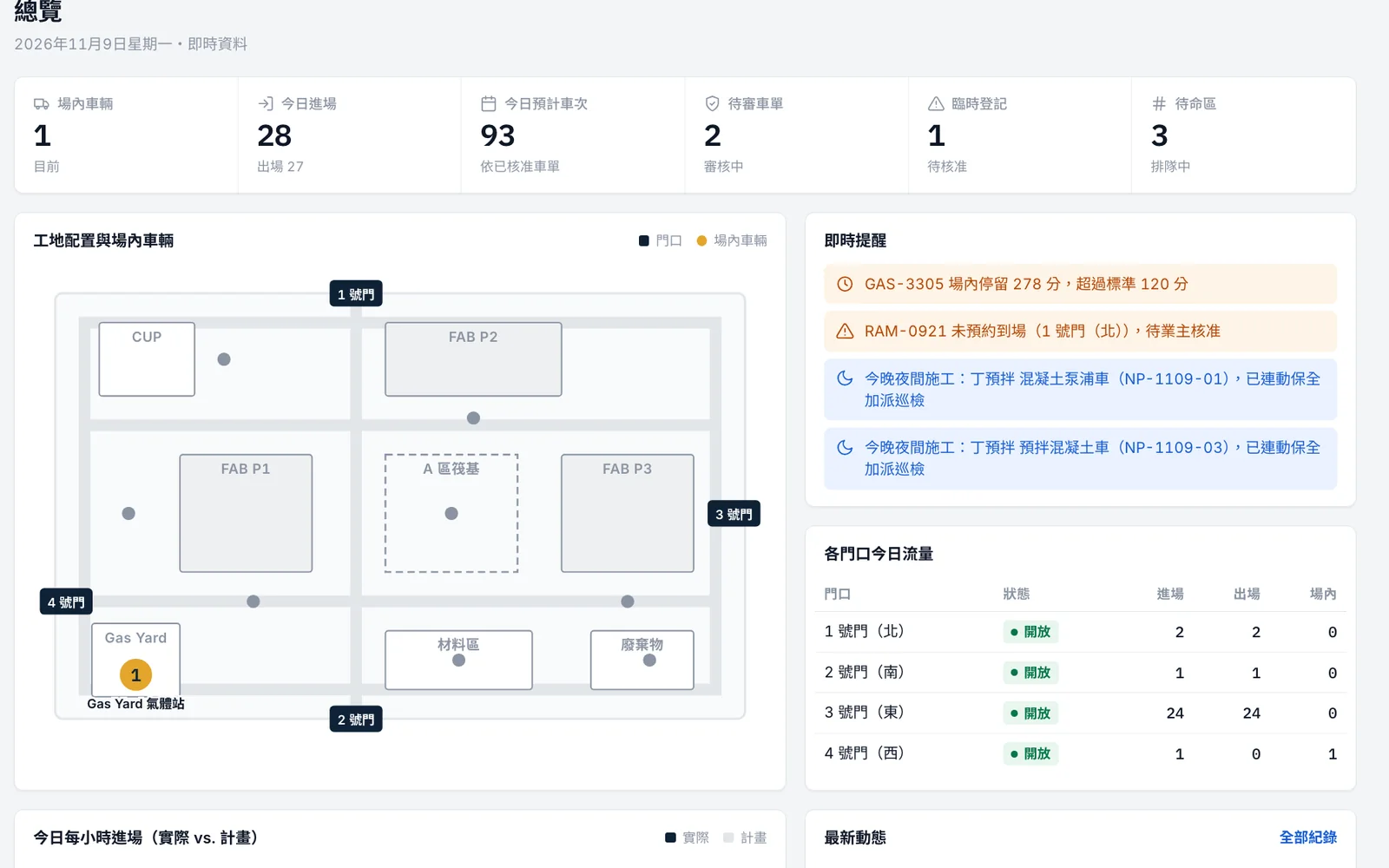
Management console
Site layout, approvals, resource booking, violation points and master data.
-
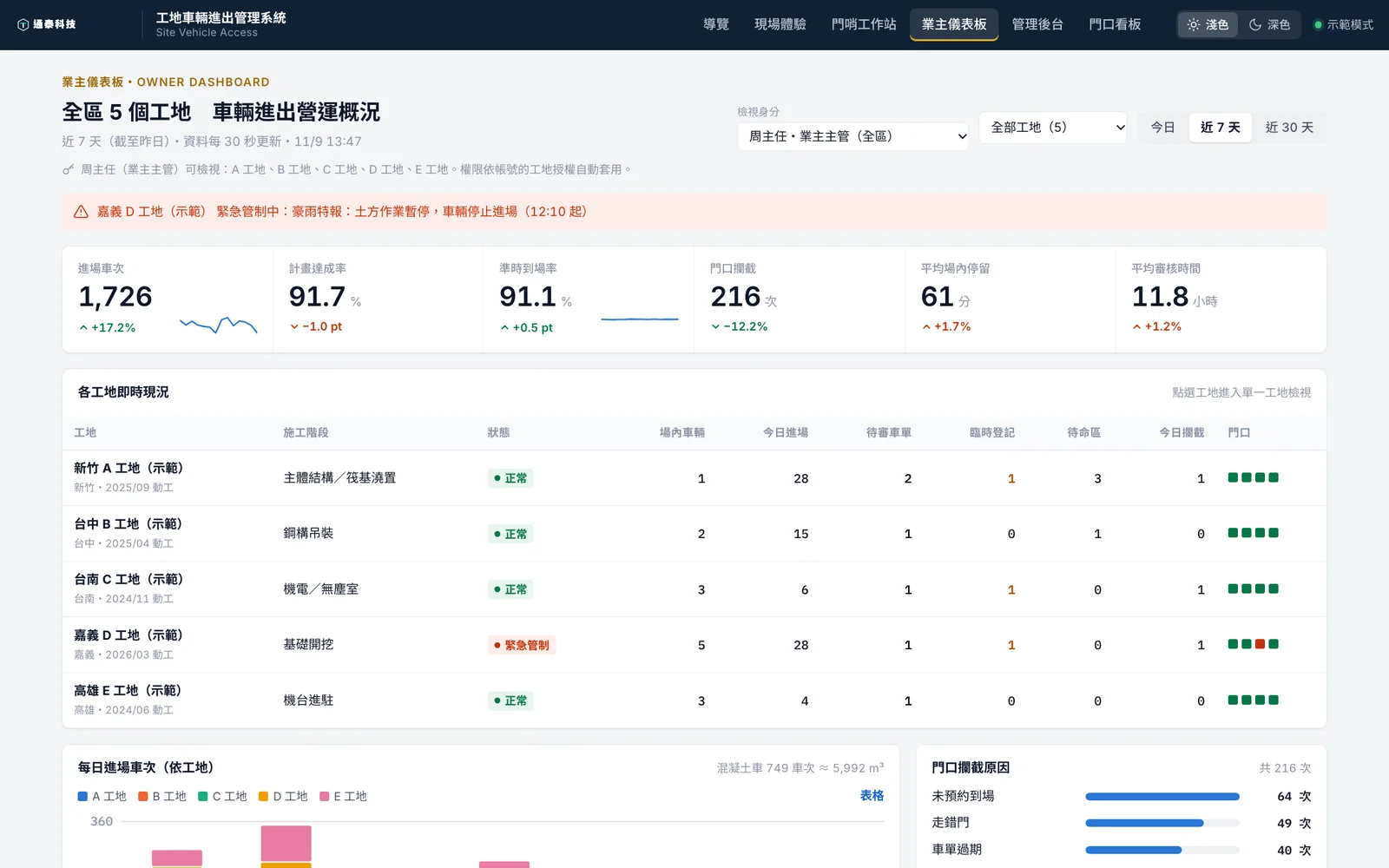
Owner dashboard
Entries, on-time rate, gate utilisation and exception causes across sites.
-
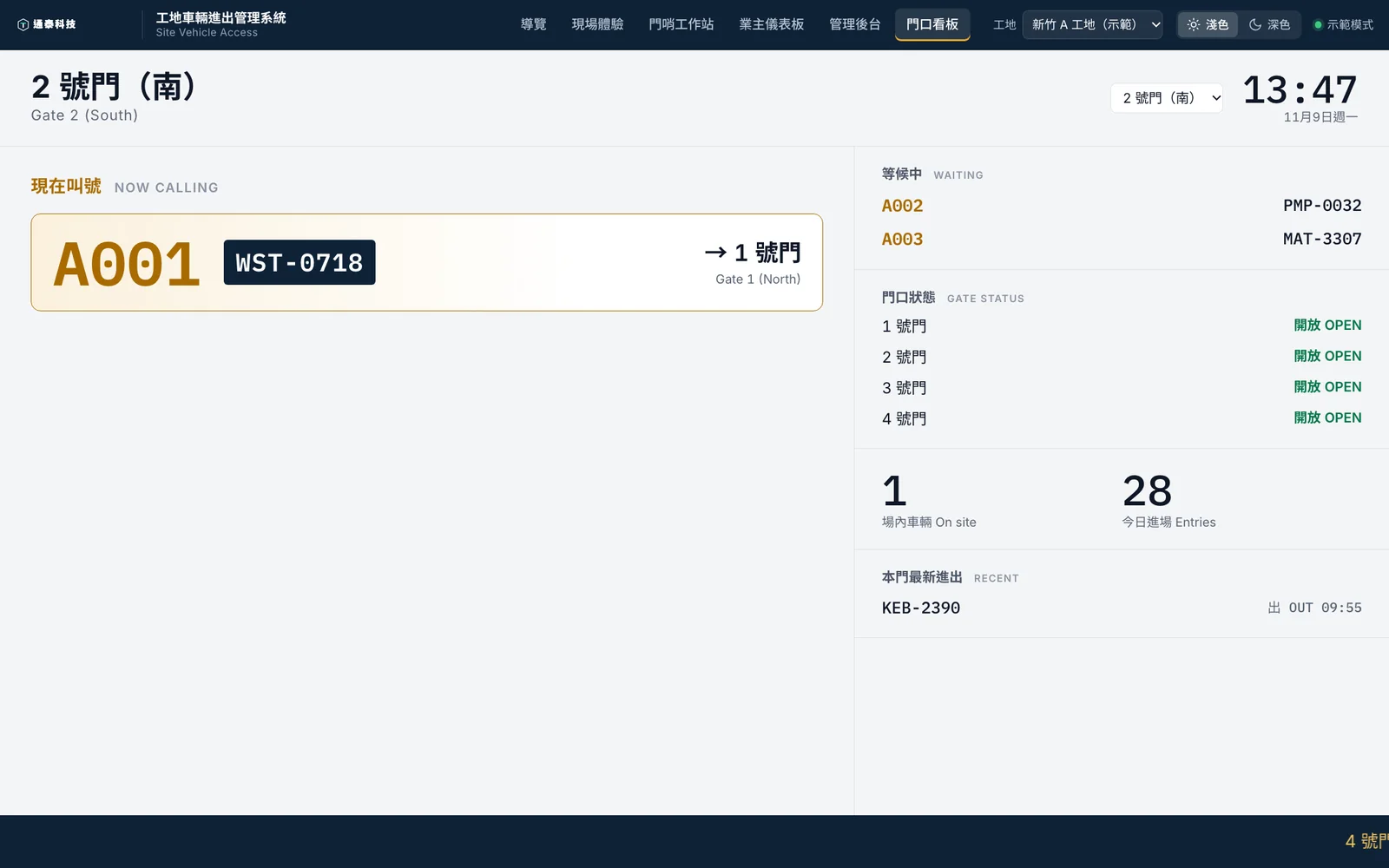
Gate board
A large screen in the waiting area showing the current call, the queue and gate status.
Gate Rules
Red, yellow, green at the gate
The system checks the rules; guards act on the light instead of memorising them.
Green · Let in
Valid request, right time slot and gate, documents complete — scan and go, with entry time recorded.
Yellow · Check
Early or late, wrong gate, or documents about to expire — the guard confirms before deciding.
Red · Refuse
Request not approved or expired, contractor suspended, or gate under lockdown — blocked and logged.
Gate Workstation
Gate workstation and plate recognition
- Connects to licence-plate cameras; matches requests automatically above a confidence threshold (90% by default)
- Opens the barrier on a match; falls back to QR scan or manual entry when a plate cannot be read
- Waiting-area check-in and calling, mirrored on a large display board
- Walk-in vehicle registration, overstay alerts and outbound material checks
- One-touch emergency lockdown with preset reasons and instant notifications

Management
Management console
- Site layout map showing gates, laydown areas and vehicles on site in real time
- Approval centre and resource booking for cranes, unloading bays, hoists and laydown areas
- Contractor violation points, with automatic review or suspension at set thresholds
- Vehicle types, gates, contractors and other master data importable by CSV
Owner Dashboard
Owner dashboard
- All sites at a glance: entries and on-time rate for today, 7 days and 30 days
- Flags gates running too hot so traffic can be split, and shows where and when queues form
- Delay and exception causes, as a basis for reviews with contractors
Deployment
Deployment and integration
Multi-site management
Run several sites on one system; owners see across sites, and contractor data and violation history are shared.
Rules the owner controls
Vehicle documents, gate restrictions and approval paths are set in the console — no code changes needed.
Cloud or on-premises
Go live quickly in the cloud, or install in the owner's own server room so data stays on site.
Works with site equipment
Plate-recognition cameras, barriers and access control, plus API / webhooks for training and patrol platforms.
Rollout
How we roll it out
Confirm the rules
Map out vehicle types, gates and approval flows, and configure them in a trial environment.
Pilot one zone
Start with one gate or zone and adjust based on feedback from the field.
Full launch
Extend to every gate and site, with training for contractors, guards and managers.
※ Screens shown on this page use demo data. Actual features and layout are configured to each site.
Want to see it in action?
We can arrange an online or on-site demo and walk through how it would fit your site's rules.